



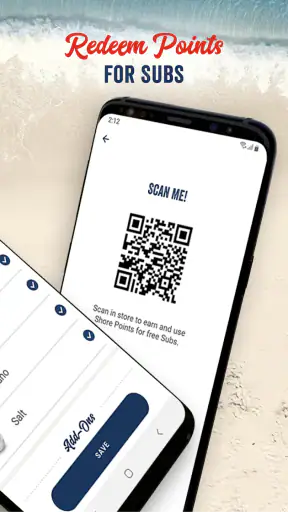
Ordering a sub ahead of time sounds like a small convenience, but it matters most when I am hungry, short on time, and standing near a busy Jersey Mike’s. I tested the Jersey Mike’s app with that situation in mind: not just whether it can place an order, but whether the process feels understandable, whether I remain in control, and whether the convenience is worth using instead of ordering at the counter or through a general delivery service.
This is a free Food & Drink app from Jersey Mike’s Subs, aimed mainly at customers who already know what they want from the restaurant. It is available to everyone, and its purpose is straightforward: let me arrange food before I arrive so I can reduce the time spent waiting in the shop. That simple focus is also its strongest quality. I am not opening it for recipes, restaurant discovery, or a broad marketplace. I am opening it because I want a Jersey Mike’s order handled before I get there.
My main impression is that the app earns trust through a narrow, visible job rather than through unnecessary complexity. It does not need to replace every food-ordering tool on my phone. It needs to make a pickup order clear enough that I can check what I selected, choose the right restaurant, and avoid an awkward correction when I arrive.
How the ordering experience feels in everyday use
The most convincing use case is a workday lunch. Imagine leaving a meeting with only a short break available. Instead of joining the line, I can use the app to prepare the order while walking toward the restaurant, then pick it up when I arrive. That workflow is more useful than the store summary makes it sound because the real benefit is not merely ordering remotely; it is separating menu decisions from the moment when the restaurant is busiest.
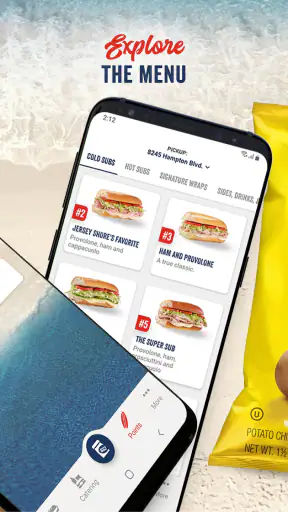
I also found the app better suited to repeat habits than to spontaneous exploration. If I already have a preferred sub and know the location I want, the process feels purposeful. If I am undecided, comparing several restaurants, or trying to coordinate a complicated meal for people with different preferences, a general delivery platform may be more convenient because it puts multiple businesses and menus in one place.
The distinction matters. Jersey Mike’s own app is a direct channel to one restaurant brand, so its usefulness depends on being near one of that brand’s locations and wanting its menu. That limitation is not a flaw in itself, but it means I would not install it as my only food-ordering tool. I would use it alongside other options, not instead of them.
The app has been available since April 6, 2016, and the current version is 2.53.0. It supports devices running Android 8.0 or later. Those details make it a practical option for many Android users, although anyone using an older phone should check compatibility before planning around it. The app has also reached more than five million installs, with an average rating of 4.8 from roughly 146,000 ratings and about 53,000 written reviews. That level of adoption suggests it is not an abandoned side project, while the rating gives me confidence that the basic ordering purpose works well for many customers.
Choosing convenience without losing the details
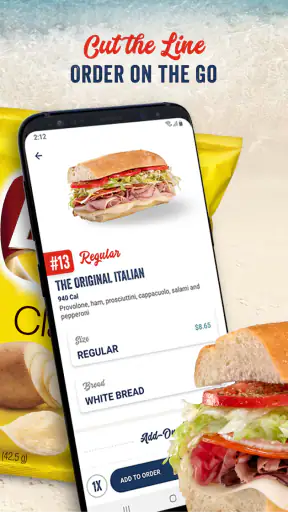
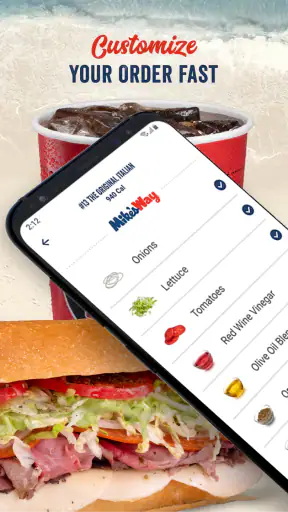
My advice is to treat the order screen as a checklist, not as something to rush through. The time saved at pickup can be lost if I select the wrong restaurant or overlook a customization. I read the final order summary carefully before submitting, especially when ordering for someone else. This is one of the less obvious advantages of ordering ahead: I can review the choices in a calmer setting instead of trying to remember them while a line forms behind me.
For a regular order, I would prepare it before leaving home rather than waiting until I am outside the restaurant. That gives me time to notice an unwanted item, reconsider the pickup location, or abandon the order if the plan changes. The app is most helpful when it reduces pressure, not when I use it as a last-second shortcut while distracted.
There is also a practical trade-off with pickup timing. Ordering ahead can make the visit smoother, but it does not remove the need to pay attention to when and where I intend to collect the food. A digital order is only convenient if I can reach the selected restaurant as planned. For an unpredictable commute, ordering at the counter may be safer because I can adjust immediately after seeing the situation.
Who should use it and who may prefer another option
I would recommend this app to Jersey Mike’s regulars, office workers grabbing lunch, parents picking up a familiar meal, and anyone who dislikes waiting in line. It is particularly sensible for people who already know their usual order and want a direct route to pickup rather than browsing a large delivery marketplace.
I would be more cautious about recommending it to someone who rarely eats at Jersey Mike’s or wants delivery choices from several restaurants. A general food app is likely better for comparing cuisines, checking multiple nearby businesses, or changing plans between restaurants. Ordering in person is also preferable when I need to ask a staff member a detailed question before deciding, since an app menu cannot replace a conversation at the counter.
For group orders, the app can still be useful if one person is comfortable entering every selection, but I would double-check names, customizations, and quantities before submitting. A shared chat or a general group-ordering service may create less confusion when several people are contributing. The Jersey Mike’s app makes the most sense when one person is managing a relatively predictable order.
Trust, controls, and the moments that need attention
Because this is a restaurant-ordering app, trust is not only about whether the menu loads quickly. I want to know what I am committing to before I submit, which restaurant will receive the order, and whether I can avoid accidental choices. The app’s direct connection to Jersey Mike’s Subs is reassuring in one narrow sense: I am using the restaurant developer’s own channel rather than an unrelated interface that sits between me and the brand.
That does not mean I should tap through without reading. The important trust moment is the final review. I check the selected location, the food, the requested preparation details, and the pickup plan. These are visible choices that affect the outcome immediately. If anything looks wrong, I prefer to stop there rather than assume I can fix it later.
I also pay attention to account decisions. An app can be convenient while still requiring more personal involvement than I want for an occasional sandwich. I would create or use an account only if the ordering routine justifies it, and I would avoid treating saved information as automatically harmless. The best habit is to review what is stored, use a strong password if an account is required, and sign out on a shared device.
When a food app asks for access or presents a consent screen, I read the wording instead of accepting by reflex. Permission labels and data practices can change with an app update, so I do not assume that an earlier choice remains exactly the same forever. On Android, I would revisit the app’s permission controls in system settings from time to time and disable access that I do not want to keep enabled. I would likewise review account and privacy controls inside the app whenever they are presented.
This is not a claim that every possible data practice is visible in the ordering flow. It is simply the approach I use with any restaurant app: rely on the choices shown to me, check the operating system controls, and avoid inferring more than the interface actually explains. That makes the experience more deliberate without turning a sandwich order into a research project.
Data-sensitive moments during a normal order
The most sensitive moments are usually not the menu taps. They are the steps involving an account, contact details, payment, location, and order history. I take extra care there because convenience can encourage me to approve a request before I understand why it is needed. If the app offers a choice between entering information manually and granting broader device access, I favor the narrower option when it is practical.
I also avoid placing an order on a public or borrowed phone. Even if the order itself is simple, an account session or saved payment detail could remain available to the next person. On my own device, I use the phone’s lock screen and keep the app updated through the normal store channel. The app is free to download, but free does not mean that account security deserves less attention.
Another useful habit is separating a restaurant account from my general identity where possible. I do not reuse a password from email or banking, and I do not save more information than I expect to need. These are small steps, but they matter more than a high rating when the question is whether I feel comfortable using an app regularly.
Notifications deserve similar attention. An order reminder can be helpful when I am busy, but I do not want every app competing for my attention. I review notification settings at the device level and keep only the alerts that help me collect the order or notice an important status change. This gives me a practical form of control without abandoning the convenience that brought me to the app.
What user control looks like in practice
The strongest form of control is the ability to pause before commitment. I use the menu to build the order, then treat the confirmation screen as a separate decision. I check the restaurant and the order contents, and I do not submit until I am certain. If my schedule is uncertain, I wait rather than placing an order I may not be able to collect.
I also keep expectations realistic about editing. A digital order is not the same as a flexible conversation with staff. If I realize I made a mistake after submission, I would look for the app’s visible order-help or account options and contact the restaurant through the appropriate channel rather than assuming a late change is guaranteed. The safest workflow is to catch errors before confirmation.
For families, I would explain this to anyone using the account: the app is convenient, but each tap can become part of a real food order. I would not hand over an unlocked phone with a saved account and assume the child or guest understands the final step. A quick review together is more reliable than trying to undo an accidental purchase.
The app’s Everyone content rating makes it approachable for a broad audience, but that label does not replace supervision around accounts, payments, or personal information. Age suitability and transaction responsibility are different questions. I would still set sensible device and account boundaries for younger users.
Where it falls short compared with ordering at the counter
The app cannot fully recreate the counter experience. In person, I can ask a question, notice the pace of the shop, and adjust my decision immediately. I can also change my mind without having already submitted a digital order. For a first visit, an unusual request, or a meal that depends on staff guidance, the counter may feel more comfortable.
Compared with a general delivery service, the app also has a narrower scope. A marketplace may be better when I want live comparison across restaurants, a single delivery trip containing several cuisines, or a familiar interface shared by many household members. The trade-off is that the direct Jersey Mike’s route keeps the task focused. I am not sorting through unrelated restaurants when I already know where I want to eat.
Compared with calling the restaurant, the app offers a written review of my selections before I finish, which I value. A phone call may still be preferable for a complicated question or a situation where the menu does not express what I need. Neither method is universally superior; the best choice depends on whether speed, clarity, or conversation matters most in that moment.
My practical routine for using Jersey Mike’s
I would use the app in five deliberate stages, even though the experience itself is designed to be quick. First, I choose the location before spending time customizing a meal. Second, I build the order without rushing. Third, I review every item and modification. Fourth, I confirm that my schedule makes pickup realistic. Finally, I check the order details after submission and keep notifications limited to useful updates.
This routine prevents the mistakes that are easiest to make when an app promises speed. It also helps me decide when not to use it. If I am still deciding what to eat, cannot reach the chosen restaurant reliably, or need a detailed answer from staff, I go to the counter or use another channel. A good app should support my judgment, not replace it.
For repeat customers, the real value is consistency. I can prepare a familiar order before the rush and spend less time standing around. For occasional customers, the value is more conditional: the app is worth opening when the restaurant and pickup plan are already clear. That distinction keeps me from overusing a tool simply because it is installed.
Final verdict for careful, convenience-focused customers
I came away viewing Jersey Mike’s as a focused ordering tool rather than a complete food platform. Its free price removes the barrier to trying it, and its strong 4.8 average across a large body of ratings indicates that many users are satisfied with the experience. The developer, Jersey Mike’s Subs, is clearly tied to the restaurant brand, which makes the app feel more direct than a third-party marketplace when I already want that specific food.
My recommendation is positive, with a condition: use it when you have a clear Jersey Mike’s pickup plan, and slow down at the final review. The app is a good fit for routine orders, busy lunch breaks, and customers who prefer preparing a meal before reaching the counter. It is not the best choice for broad restaurant comparison, uncertain travel plans, or questions that require a staff conversation.
From a trust perspective, I would not judge it only by its rating or its convenience. I would keep account information controlled, review device permissions and notifications, use the visible consent choices carefully, and avoid assuming that an order can always be changed after submission. With those habits, the app does what I want it to do: make a familiar Jersey Mike’s pickup more organized while leaving the important decisions in my hands.


